

Nitrogen’s Fall 2026 Launch: ChatGPT and Claude Integrations, Smarter Tax Planning, and More
What if you could ask ChatGPT or Claude to work with your Nitrogen data? Compare multiple tax scenarios side by side? Or have Nucleus handle an entire series of tasks from a single request?
With Nitrogen’s Fall 2026 Product Launch, those capabilities are becoming a reality.
From smarter AI workflows and expanded tax planning tools to new insurance capabilities and integrations, here’s a look at what’s new and how advisors can put these updates to work.
Nucleus gets smarter and goes beyond Nitrogen
Your AI assistant can now do more of the work that goes into preparing for client meetings, building proposals, and managing client information.
With new multistep planning capabilities, Nucleus can develop a plan and carry out a series of connected actions from a single request. During the fall launch, Nitrogen’s Strategic Accounts Manager Preston Naramore demonstrated how Nucleus could create a new client profile, set a Risk Number®, build a portfolio, and prepare a proposal.
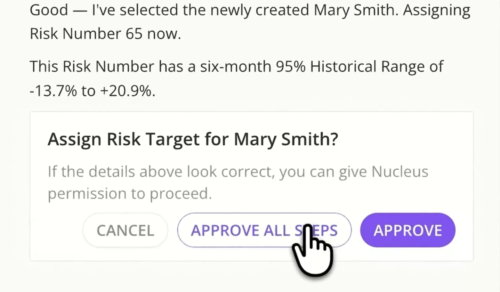
Advisors can review the plan and approve individual actions or multiple steps at once, keeping control over what Nucleus does.
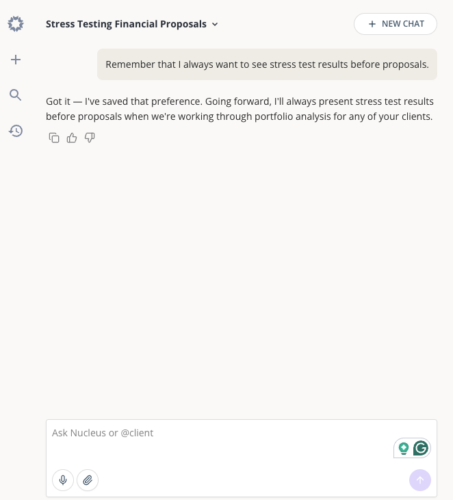
Nucleus is also getting better at understanding client context. With Nucleus Advisor Memory, it can draw on information already in Nitrogen, previous conversations, and connected CRM systems to provide more relevant responses. It also cites its sources and flags conflicting details rather than guessing.
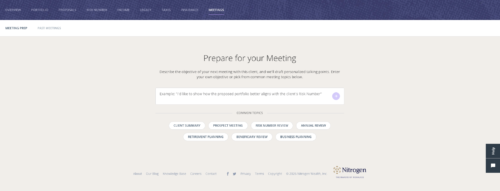
That additional context comes into play with the new Meeting Prep tab, available to everyone with Nucleus. Advisors can ask for client meeting talking points that incorporate information from across their Nitrogen products, helping them prepare without piecing everything together manually.
Access Nitrogen through ChatGPT and Claude
One of the biggest announcements from the fall launch is Nitrogen Everywhere, which extends access to Nitrogen capabilities beyond the platform itself.
Advisors can now interact with Nucleus through Slack and Microsoft Teams. Native connections with ChatGPT and Claude also let advisors use those AI assistants to work with their Nitrogen data, with Microsoft Copilot supported through additional setup.
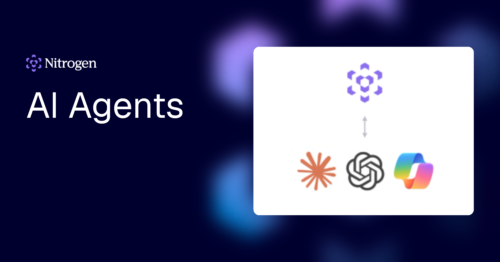
Existing account permissions and administrative controls govern what information these connections can access and what actions they can take.
Connect client conversations to action with Contio and Zocks
Client meetings generate valuable insights, but putting that information to work across an advisor’s technology stack can take time.
Two new integrations with Contio and Zocks help close that gap by connecting AI-powered meeting intelligence with Nitrogen’s client data and workflows.
Contio: Turn client conversations into action
Founded by Nitrogen co-founder and board member Aaron Klein, Contio is building AI that turns client conversations into meaningful action.
Its MeetingOS acts as an AI-powered meeting strategist, memory, and chief of staff, capturing important context from client conversations and helping advisors put it to work.
With the new integration, Contio sends meeting intelligence directly into Nitrogen, giving Nucleus a deeper understanding of each client’s needs, priorities, and conversations. That additional context helps Nucleus support more personalized planning discussions and advisor workflows.
Zocks: Keep meeting intelligence and client data connected
Our new bi-directional integration with Zocks connects information before and after client meetings.
Zocks can send AI-powered meeting summaries, action items, and client signals into Nitrogen, giving Nucleus additional context to work with.
In the other direction, Zocks can pull client and portfolio Risk Numbers®, proposal statuses, and client Check-ins from Nitrogen to enrich meeting preparation and other advisor workflows.
Together, these integrations help advisors put information from client conversations to work while keeping their existing tools connected.
Compare tax scenarios side by side with Tax Multiview
One of the most requested features in Nitrogen’s Tax Center has arrived.
With Tax Multiview, advisors can now compare multiple tax planning scenarios side by side, making it easier to see how different financial decisions could affect a client’s tax situation.
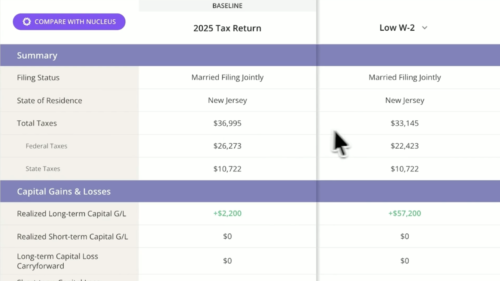
Building on Tax Center’s existing scenario modeling capabilities, the new view lets advisors explore different possibilities without examining each one separately.
Scenarios start with information from a client’s uploaded tax return, so advisors can adjust relevant details, such as employment income or capital gains, to see how those changes affect the client’s projected taxes. They can then display the scenarios together, making it easier to identify differences and walk clients through potential trade-offs.
Explore smarter Roth conversions
We also introduced enhancements to the Roth Conversion Calculator, including a new Fill a Tax Bracket capability.
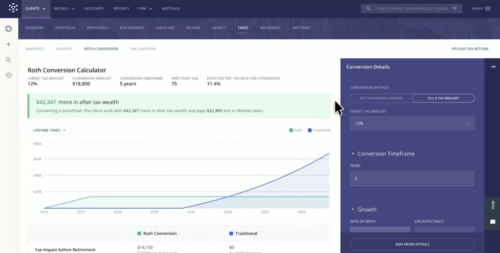
Advisors can explore how much a client might convert to a Roth IRA while staying within a selected tax bracket. Expanded year-by-year projections and a Detailed Analysis table offer a closer look at projected conversion amounts, taxes, and account balances over time.
See how a client’s tax situation changes over time
The new Tax Return History feature lets advisors manage multiple years of tax returns within Tax Center.
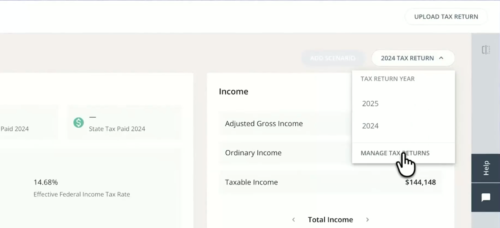
With a year selector in the Tax Snapshot, advisors can switch between previous returns and see the Snapshot update to reflect that year’s information. This makes it easier to review changes in a client’s tax situation and reference earlier returns during planning discussions.
More ways to assess insurance coverage with Insurance Center
Introduced at our Summer 2026 Product Launch alongside the Coverage Number™, Insurance Center helps advisors assess clients’ existing life insurance, long-term care, and retirement income coverage against their estimated needs.
At our fall launch, we introduced three enhancements that give advisors more flexibility when evaluating coverage and discussing potential gaps with clients:
Household assessments: Assess both spouses individually and view their Coverage Numbers together to uncover gaps that might be overlooked when considering a household’s overall coverage.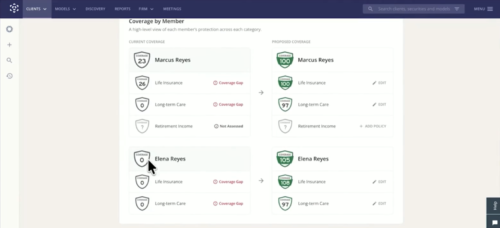
Proposal implementation: Record when clients act on insurance recommendations and update their current coverage to reflect the policies they’ve implemented.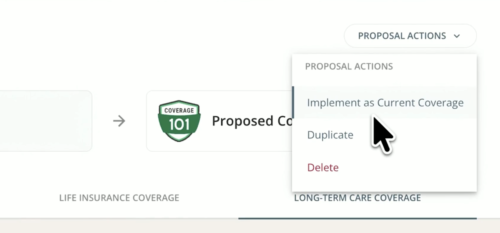
Adjustable assumptions: Modify factors used to estimate insurance needs, such as dependency years or income replacement ratios, to better reflect a client’s circumstances and professional judgment.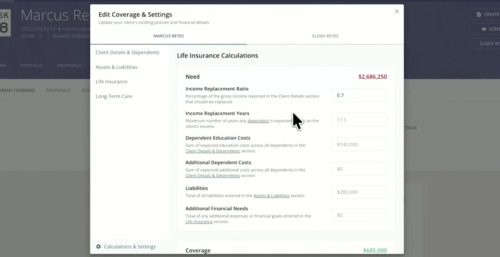
See the Fall 2026 announcements in action
Nucleus, Tax Center, and Insurance Center were among the highlights, but they weren’t the only announcements.
We also unveiled improvements to Risk Center, including expanded RILA analytics and the ability to open Schwab accounts directly from Nitrogen.
Want to see how it all works? Watch the full Fall 2026 Product Launch replay for demonstrations of the new capabilities and a closer look at how advisors can put them to work
Frequently Asked Questions
Can I use Nitrogen with ChatGPT or Claude?
Yes. Through Nitrogen Everywhere, Nucleus customers can access Nitrogen capabilities using ChatGPT or Claude. Nucleus is also accessible through Slack and Microsoft Teams, with support for Microsoft Copilot. Existing permissions and administrative controls continue to govern access to client information.
What can Nucleus do with multistep planning?
Nucleus can plan and carry out a series of connected tasks from a single request. For example, an advisor could ask it to help onboard a client, set up a portfolio, and prepare a proposal. Advisors can review and approve actions along the way.
What is Tax Multiview in Nitrogen Tax Center?
Tax Multiview lets advisors compare multiple tax planning scenarios side by side. Advisors can evaluate the potential implications of different strategies and explain the tradeoffs to clients, helping them make more informed planning decisions.
What’s new in Nitrogen’s Roth Conversion Calculator?
The Roth Conversion Calculator now includes a Fill a Tax Bracket capability, which helps advisors explore Roth conversion amounts based on a selected tax bracket. Advisors can also review year-by-year projections to better understand the potential tax implications of a conversion strategy over time.
What’s new in Nitrogen Insurance Center?
Insurance Center now supports household assessments, allowing advisors to compare spouses’ Coverage Numbers side by side. Advisors can also adjust the assumptions used to estimate insurance needs and update current coverage when clients implement insurance recommendations.